Dreamina AI: The ByteDance Creative Tool That's Quietly Taking Over My Content Workflow
Free credits, Seedance 2.0 video, and an AI agent named Octo — here's what this CapCut sibling actually gets right.
I get pitched a new "all-in-one AI creative platform" roughly every week, and most are the same three tools wearing a different logo. So when I tested Dreamina — the AI image and video generator built by ByteDance, the same company behind TikTok and CapCut — I expected another forgettable entry in my "tried it once" graveyard. Instead, I spent an entire afternoon in it.
Dreamina isn't a single-purpose app. It's the engine behind an entire content pipeline: prompt to image, image to video, add a talking avatar, then push the finished clip straight into CapCut for editing. No exporting, no re-uploading, no juggling tabs.
What It Actually Does
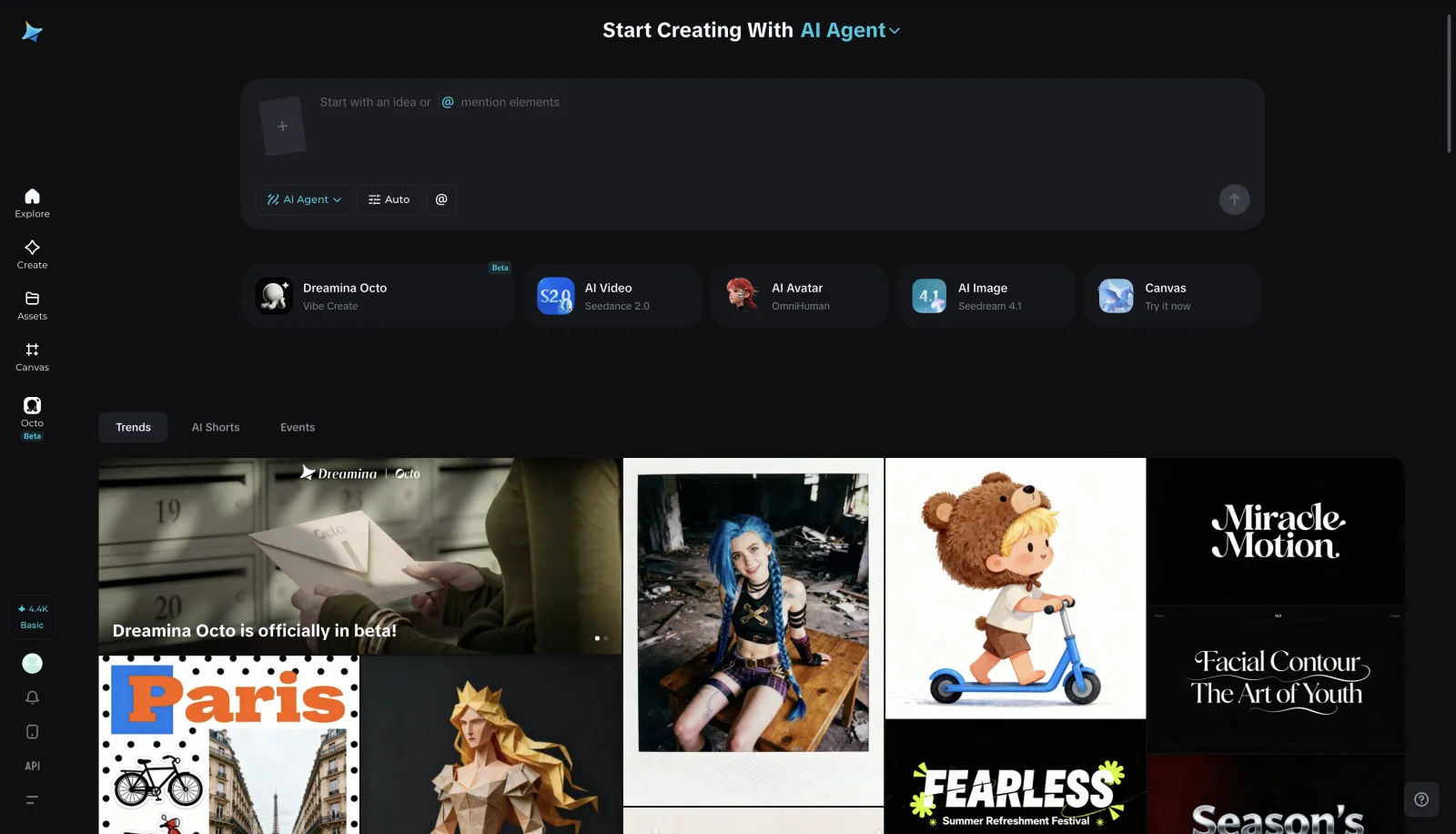
Dreamina generates images, video, and talking avatars from text prompts, photos, or audio, blending several models — Seedance 2.0 for video, Seedream for images — under one roof so you don't have to know which one to pick.
- AI Image — text-to-image and image-to-image with dozens of style presets. Strong with illustration and stylized art; less convincing with photorealistic faces, a common weak spot industry-wide.
- AI Video (Seedance 2.0) — text-to-video and image-to-video, clips up to ~15 seconds across multiple aspect ratios, now live in most major markets including the US.
- AI Avatar — upload a photo and audio, get a lip-synced talking avatar. Great for explainers and narrated content without going on camera.
- Canvas — built-in inpainting, object removal, and upscaling, so you're not bouncing to Photoshop to finish a generation.
- Octo — currently in beta, and the most interesting piece: a collaborative AI agent that chains image, video, and editing steps from one rough idea instead of you assembling each step manually.
The Real Differentiator: The CapCut Handoff
Most AI generators hand you a file and leave post-production to you. Dreamina treats generation as step one — everything flows straight into CapCut for music, captions, and export. If you already edit there, that alone might be worth the switch.
Pricing, Simply
Every tool draws from one shared credit pool. Images are cheap; video eats credits fast. The free daily allowance covers a handful of images or one to two short clips — enough to test seriously before paying. Paid tiers add watermark removal, higher resolution, and priority processing.
Where It Falls Short
- Photorealistic humans still look uncanny, especially hands and lighting.
- It's a ByteDance product — worth a look at the privacy policy if you handle sensitive or client data.
- Free video credits vanish fast, even if images last all day.
- Built-in IP and likeness safeguards block generating video from real faces and unauthorized copyrighted content — responsible, but can be confusing if a request unexpectedly fails.
Who Should Use It
If you're already creating short-form content in CapCut, this is close to a no-brainer. It's also a low-friction entry point if you're new to AI creative tools — no prompt-engineering fluency required. If you need strict photorealism or enterprise-grade data controls, treat it as one option among several rather than your default.
Either way, the free tier's worth fifteen minutes: generate one image, animate it, run it through Canvas, and see if the pipeline clicks.
Key Takeaways
- Dreamina is ByteDance's all-in-one AI platform: image, video (Seedance 2.0), talking avatars, and editing in one place.
- Its edge is the direct CapCut handoff — generate and finish without switching platforms.
- Octo (beta) is an AI agent that chains creative steps from a single prompt.
- Shared credit system across tools; video is the most expensive.
- Best for stylized art and short-form video; photorealistic faces are still a weak point.
- Built-in IP/likeness safeguards limit some requests but reflect responsible design.
Try Dreamina's free tier
Generate an image, animate it, and run it through Canvas — see if the pipeline clicks for you.
Visit Dreamina