Try MiniMax Music 3.0: How It Actually Works, How to Make Your First Song, and Why It's Worth Doing
Skip the "10 AI music tools to try" listicle and just try this one instead.
MiniMax Music 3.0 is a free AI model that writes complete, five-minute songs — vocals, instruments, the whole arrangement — from nothing but a text description and a set of lyrics. Most "AI music" still sounds like it's singing through a wet towel. This one doesn't, at least not once you know how to prompt it properly, and that's the part worth fifteen minutes of your attention: once you understand why it's built the way it is, you'll get good results out of it instead of generic mush on your first try.
So What Is This Thing, Really?
MiniMax Music 3.0 is an open-weights AI model — meaning the actual model file is free to download and run — that takes two inputs and turns them into a finished song: your lyrics, and a description of what you want the song to sound like. Not a loop. Not a 15-second stem. A full song, up to five minutes, with a beginning, a build, a chorus that actually repeats correctly, and an ending, output as a real 32kHz stereo audio file.
That "coherent for five minutes" part is the actual breakthrough. Older AI music tools tend to lose the plot after 60-90 seconds — the chorus stops sounding like the same song, instruments drift, the vocal quality degrades. This one was built specifically to hold a song together for its full runtime, and it mostly does.
How It Actually Works
Here's the mechanism, in plain terms, because understanding it is what makes you good at using it.
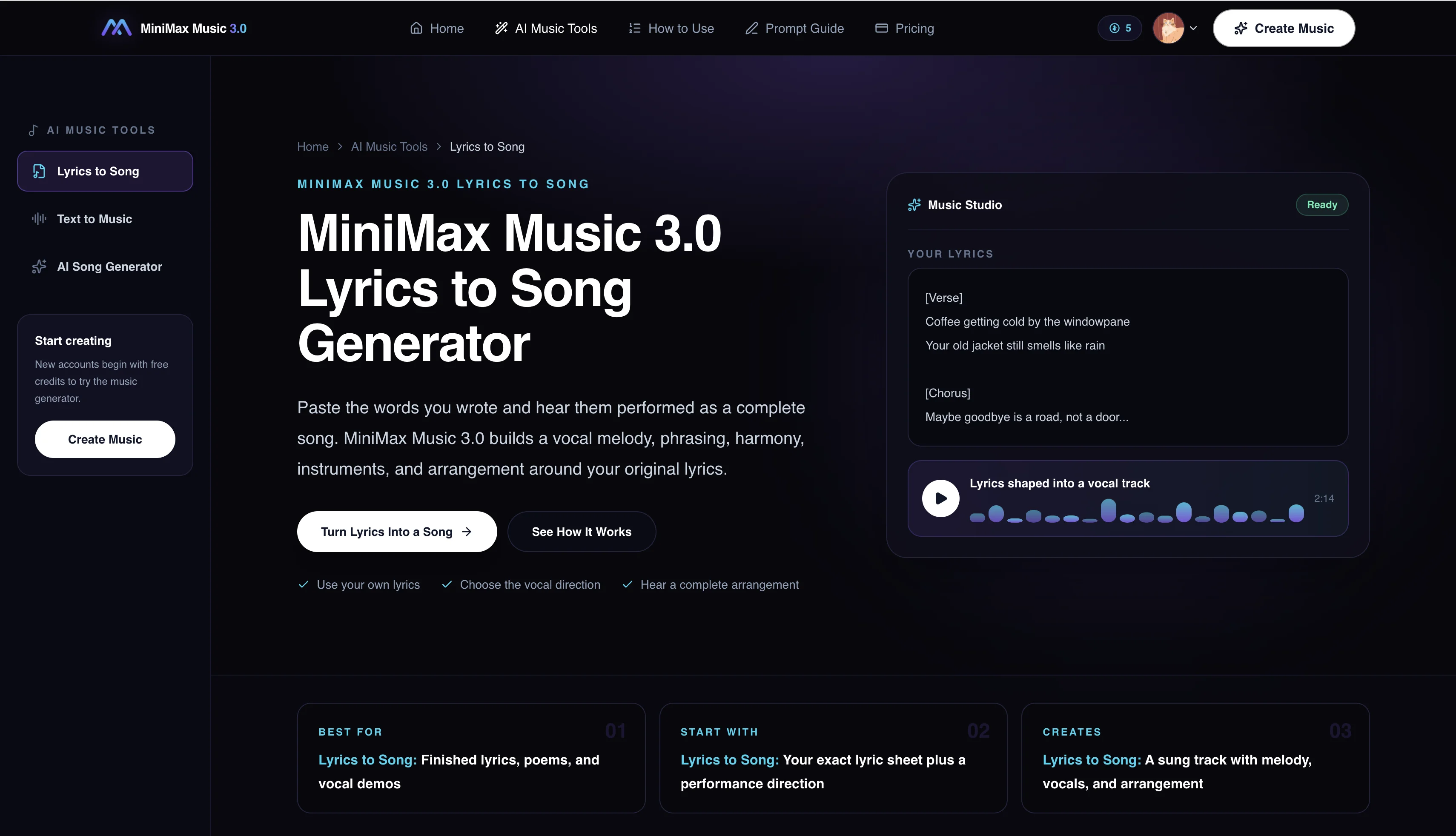
Don't just type "make me a sad song." You give it two separate pieces of information:
- Your lyrics, broken into labeled sections. Tag each part:
[Intro],[Verse],[Chorus],[Bridge],[Outro], and so on. This is the same way songwriters structure a lead sheet. The model uses these tags to know exactly where the emotional peak of the song should land and when to bring the full arrangement in versus strip it back. - A "Structured Caption" describing the sound. This is the part most people skip, and it's the part that separates a mediocre result from a genuinely good one. It has three layers:
- Global metadata — genre, subgenre, BPM, key, the emotional arc of the song, even the "listening scenario" (is this a driving song? A late-night song?)
- Vocal details — gender, timbre, whether the vocal is breathy or belted, harmonies, backing vocals
- Arrangement — which instruments lead, which are secondary, and critically, how the instrumentation changes section by section
Under the hood, generation happens in two stages: one model handles the actual composition and structure (the "autoregressive" part — deciding what happens next in the song, section by section), and a second stage renders that into actual audio using a technique called flow matching, paired with something MiniMax calls Flow-VAE. In plain English: the first stage is the songwriter, the second stage is the studio engineer turning sheet music into a mixed recording. That two-stage split is exactly why the vocals sound more like a real performance and less like a synthesizer doing an impression of a human — it's not one model trying to do both jobs badly, it's two models each doing one job well.
How to Actually Generate a Song (step by step)
Here's the exact process — follow it and you'll have a finished track in a few minutes.
Step 1: Write your lyrics with section tags. Keep it simple for your first try:
[Verse]
Morning light filtering through the pine
[Chorus]
Softly the world begins to breathe
Step 2: Write your Structured Caption. This is your instruction to the "band." Something like:
Genre: acoustic pop. BPM: 96. Key: C major. Warm and intimate, building gently into the chorus. Vocals: soft female lead, close and breathy, light stacked harmonies in the chorus. Arrangement: fingerpicked guitar and soft piano.
Notice how specific that is. "A nice acoustic song" gets you something generic. Naming the BPM, the key, the exact vocal texture, and what two instruments are doing gets you something that sounds intentional.
Step 3: Pick where to run it. You've got three real options, in order of effort:
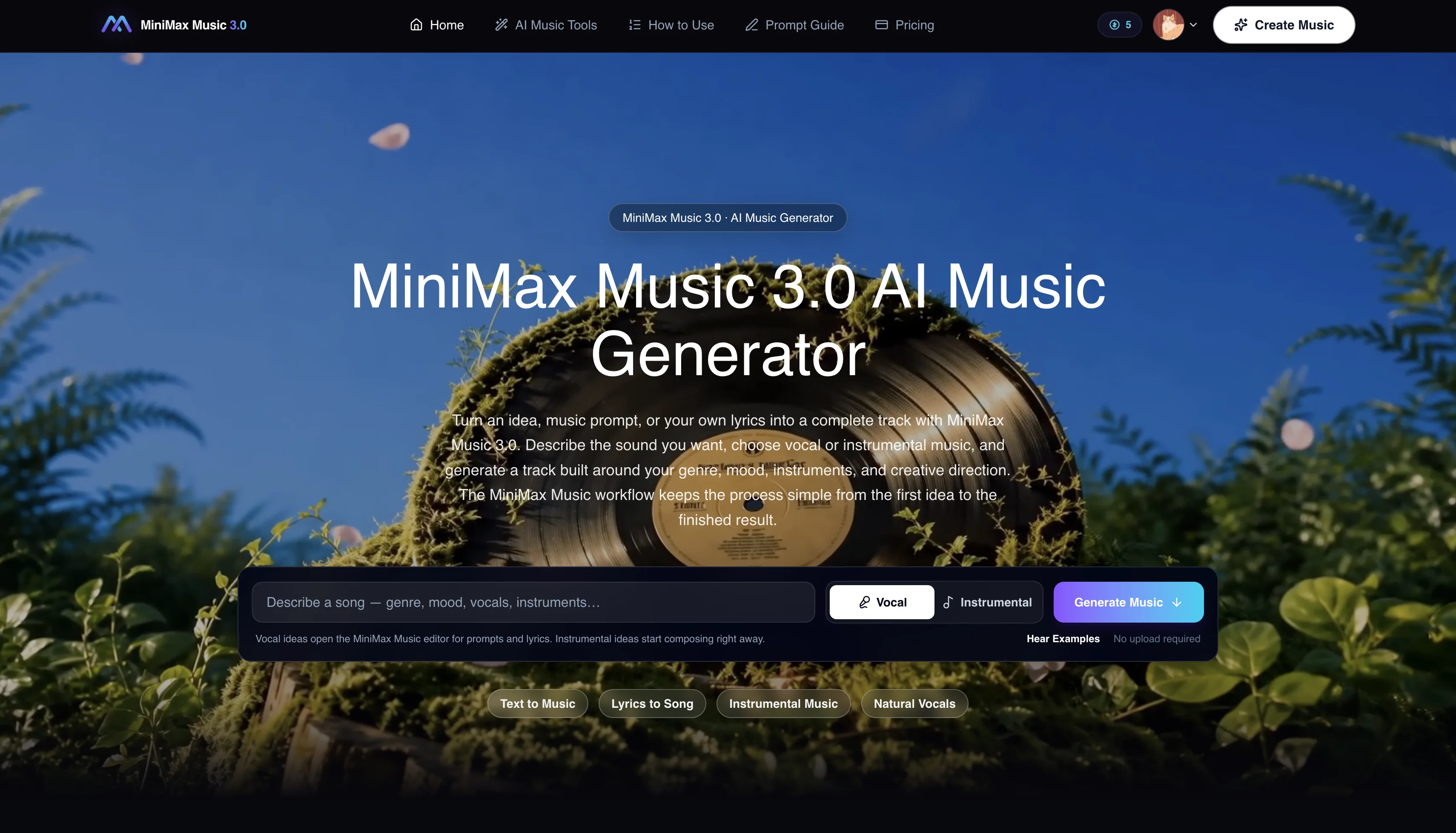
- The easiest path is a hosted web tool like minimaxmusic3.net, which gives you a simple form for your prompt and lyrics and hands you back a finished track without installing anything — worth flagging that this is an independent third-party tool, not run by MiniMax itself, and it works on a free-credits-then-paid model (you get enough free credits for about one full song before it asks you to pay).
- The free official option is MiniMax's own Hugging Face Space, which runs the real model on Hugging Face's shared infrastructure at no cost, though it can queue during busy periods since it's shared capacity.
- The DIY option is downloading the model weights yourself from GitHub or Hugging Face and running it locally — completely free, unlimited generations, but you'll need two decent CUDA GPUs, which rules out a laptop.
For a first song, just to see what this thing can actually do, option one or two takes about five minutes start to finish.
Step 4: Iterate. Your first generation almost never nails it. Change one variable at a time — swap "breathy" for "powerful," bump the BPM, add a second instrument to the arrangement — and regenerate. Think of it as directing a session musician, not typing a search query.
Where This Actually Fits Into a Normal Day
This isn't just a toy for musicians. Here's where you'll actually find yourself reaching for it:
- A birthday or anniversary song with someone's actual name in the lyrics. Stock "happy birthday" tracks feel lazy. A 90-second custom song with an inside joke in the second verse does not.
- Background music for a travel or home video montage — something built exactly to the length of your clip instead of getting cut off mid-chorus.
- A workout or focus playlist track tuned to a specific BPM instead of hoping a streaming algorithm gets it right.
- A podcast or YouTube intro jingle that's actually yours, not the same three royalty-free tracks every other small creator uses.
- A genuinely personal gift — a song "about" your partner, your dog, your friend group's running joke — which costs nothing but ten minutes of writing lyrics.
None of these need a recording studio or a music degree. They need ten minutes and a decent prompt.
Why This Actually Matters
Full-length, coherent, real-sounding vocal music generation being free and open-weight is a genuine shift, not just another AI tool launch. It means the gap between "I have an idea for a song" and "I have an actual song" just collapsed from weeks (or never) to about ten minutes. That's true whether you're making something for yourself, a gift for someone else, or the soundtrack to a video nobody but your group chat will ever see. The barrier used to be skill and money. Now it's mostly just knowing how to write a decent prompt — which, if you made it this far, you now do.
Try It Yourself
Don't just read about this one — go make a song. The lowest-friction way to start is minimaxmusic3.net, where you can write a prompt, paste your lyrics, and have a finished track in a couple of minutes using your free credits (remember: independent third-party tool, not MiniMax's own site). If you'd rather use the model straight from the source for free, MiniMax's official Hugging Face Space is the way to go. Either way, write your first Structured Caption today, hit generate, and see what comes back. It's more fun than it has any right to be.
Ready to write your first song?
Write a Structured Caption, paste your lyrics, and have a finished track in a couple of minutes.
Try Now